

A home office does not need a dedicated room, but it does need a clear job. The spare corner beside a window or at the end of a living room can support focused work when its desk fits the body, its light is controlled, and its supplies have a place to disappear. Without those decisions, the same corner becomes a laptop parking area surrounded by cables and paper.
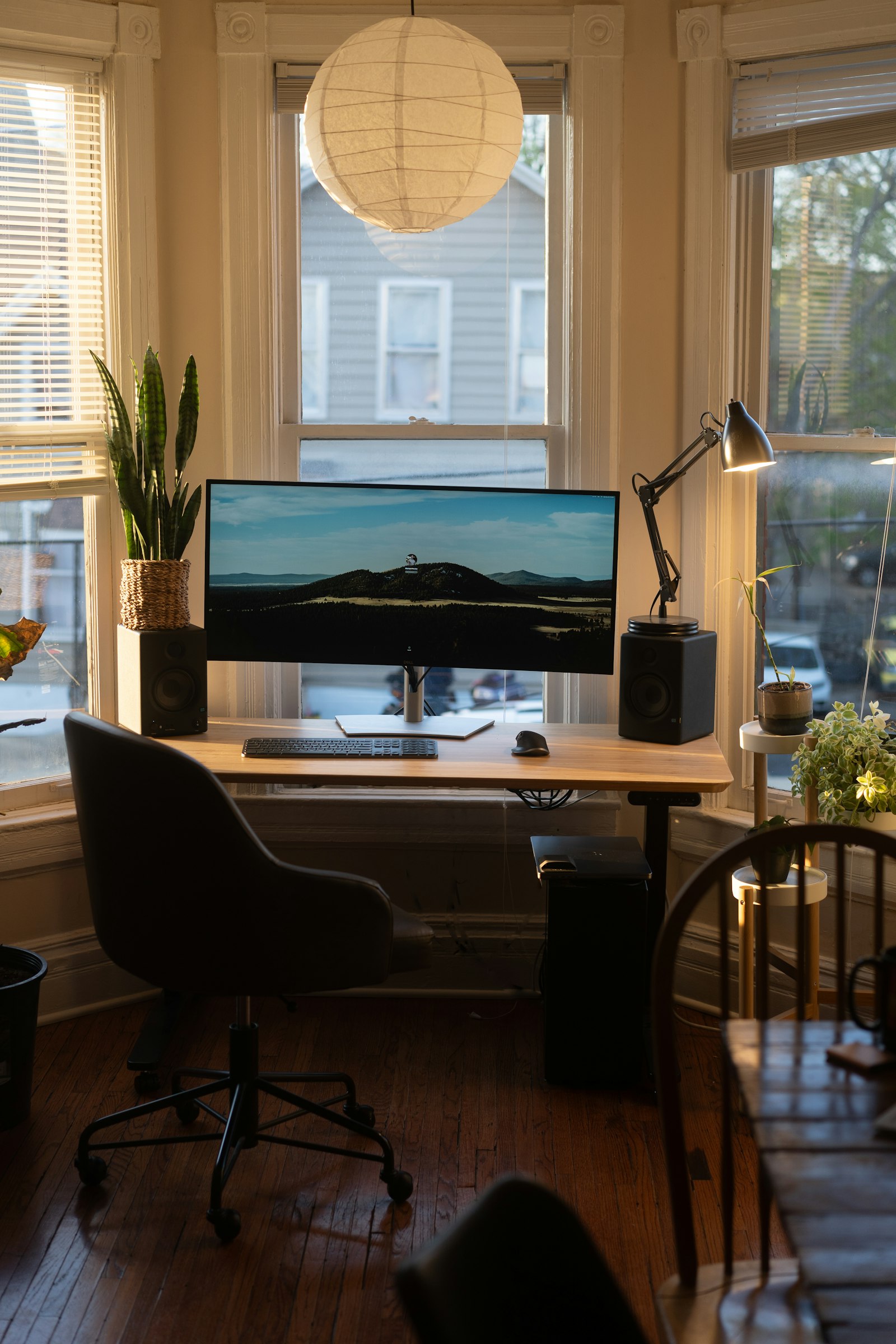
This makeover treats the office as a compact work zone rather than a miniature corporate cubicle. The aim is to create a setup that functions during the day and settles back into the room afterward.
Choose the corner by conditions, not emptiness
An unused corner may be empty for a reason. Check noise, glare, temperature, outlets, and the path people take through the room. A desk beside a busy doorway can make concentration difficult; a sunny window can produce screen glare and uncomfortable heat at certain hours.
Observe the space over a normal workday. Note when direct sun reaches the proposed screen position and whether household activity repeatedly crosses behind the chair. Test the available internet connection if calls or large files are part of the work.
Avoid blocking vents, radiators, access panels, or the main exit route. A corner that requires extension cords across a walkway is not a suitable office without a safer power plan.
Define the work the office must support
List the equipment used every week: laptop, external monitor, keyboard, mouse, notebook, reference books, printer, headphones, or drawing tools. Separate essential equipment from items that merely might be useful. The smallest effective desk is determined by the active work surface, not by the largest desk that fits the wall.
If the office supports video calls, look behind the chair as well as in front of it. A simple wall, curtain, or organized shelf is easier to manage than a camera view across the entire home. Consider sound from kitchens, televisions, and exterior windows.
Shared users need adjustability. A chair and monitor position fixed for one person may be uncomfortable for another. Decide whether the corner is a full-time workstation or an occasional landing place before spending on furniture.
Measure for the chair first
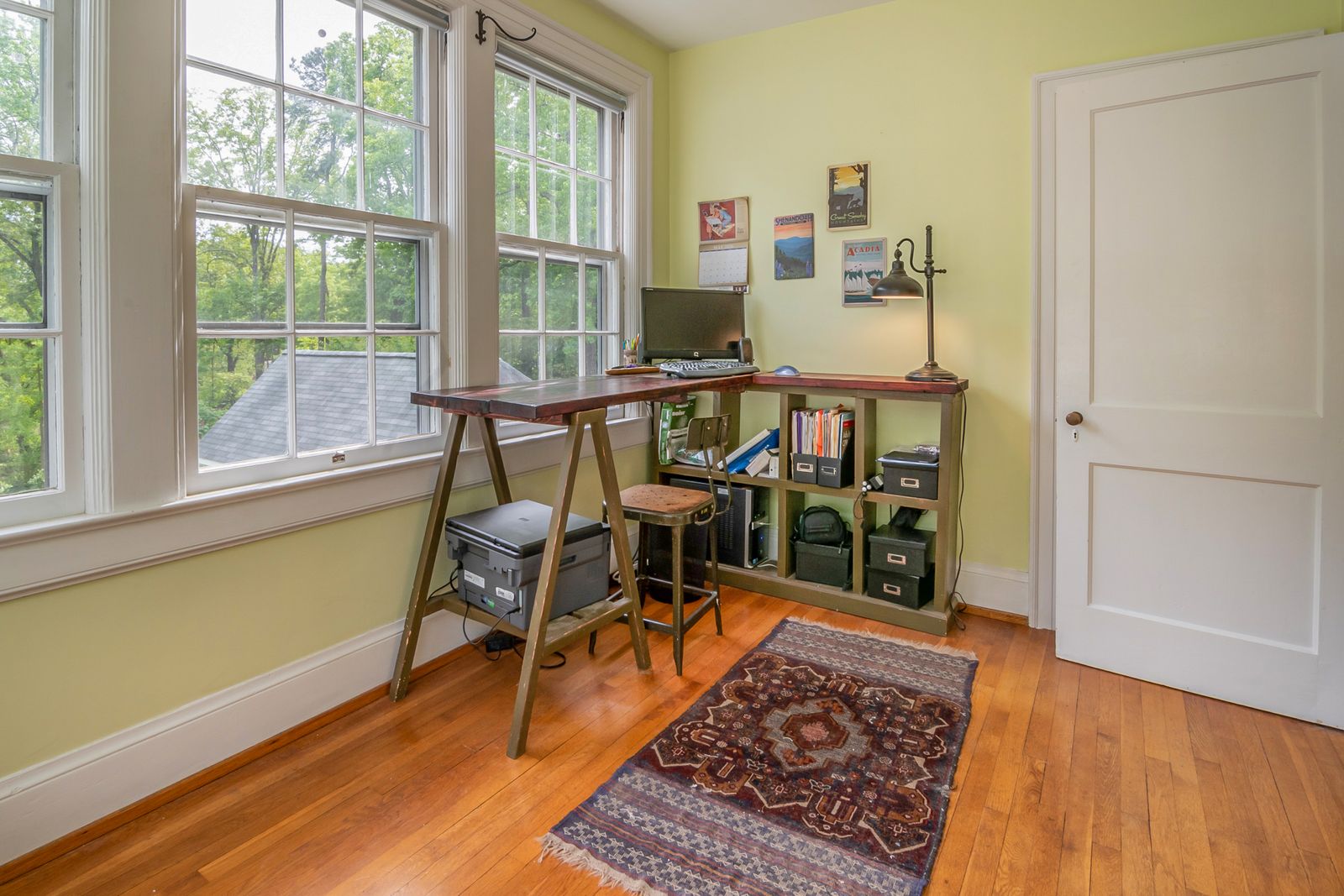
Tape the desk footprint on the floor, then add the area required to pull out the chair and sit down. Open nearby cabinet doors and walk behind the occupied position. A shallow desk can conserve space, but it must still place the screen at a comfortable viewing distance and leave room for hands and input devices.
Desk height and chair range should work together. Feet should be supported by the floor or an appropriate footrest, shoulders relaxed, and forearms comfortably positioned. A thick drawer directly under the desktop can reduce knee clearance even when the exterior dimensions look generous.
Do not rely on a decorative dining chair for long work sessions simply because it fits neatly. A supportive, adjustable task chair may have a larger visual presence, but discomfort is a poor trade for a tidy photograph.
Position the screen and control glare
Place the screen so windows are generally to the side rather than directly behind or in front of it. This reduces bright reflections and extreme contrast. Adjustable blinds or curtains can manage changing daylight without turning the corner into a dark box.
The top of the visible screen area is often comfortable around or slightly below eye level, though individual needs and corrective lenses vary. A stable riser or monitor arm can create height without consuming valuable desk space. Follow the equipment maker's weight and mounting specifications.
Laptop-only work benefits from an external keyboard and mouse when the device is raised for longer sessions. Otherwise, raising the screen also raises the keyboard to an awkward position.
Build lighting in two layers
Ambient room light prevents the screen from becoming the only bright object after dark. A task lamp then illuminates paper or detailed work. Choose an adjustable lamp that can be aimed away from the screen and positioned to avoid casting a hand shadow across the page.
Use a bulb permitted by the fixture and keep heat-sensitive materials clear. A consistent, comfortable color appearance helps the corner belong to the wider room. Very decorative exposed bulbs may produce glare when they sit within the normal field of view.
If video calls matter, a soft light facing the user is usually more flattering than a bright window behind the head. Test the actual camera image rather than buying a specialized light immediately.
Give every cable a route
Plan power before placing storage. Keep power strips accessible and use products appropriate to the equipment load. Do not connect power strips to one another or run cords under rugs, through doorways, or where chair wheels repeatedly cross them.
A cable tray fixed beneath the desk can hold a power strip and excess length. Reusable hook-and-loop ties keep related cables together without pinching them. Label both ends if several black adapters look alike.
Leave enough slack for a sit-stand desk or monitor arm to move through its full range. Chargers need ventilation and should not be buried under paper. Electrical modifications or new outlets require appropriately qualified work.
Use vertical storage selectively
The wall above a compact desk is valuable, but filling it from desktop to ceiling can make the corner feel crowded. One shallow shelf for frequently used items and a closed box for visual clutter may be enough. Mount shelves according to wall type and load, and keep heavy objects away from the seated head.
A narrow rolling cabinet can provide drawers and move aside when extra knee space is needed. A wall pocket can hold active papers, while archives belong elsewhere. The office should contain current work, not every document the household owns.
Choose containers by contents rather than buying a coordinated organizer set first. Measure paper sizes, chargers, and notebooks. Empty compartments create no value, and tiny boxes often become mixed-item traps.
Create a visual boundary
A rug, paint block, curtain, open shelving unit, or simply the desk and lamp can define the office. The boundary should be perceptible without making the room feel divided. In a living area, repeat a wood tone, metal finish, or color already present so the workstation looks intentional.
An open bookcase used as a divider needs stability and may require anchoring. Do not overload the upper shelves or block light and airflow. A folding screen offers more flexibility but must not interfere with exits or tip easily.
The most effective boundary may be behavioral: the laptop closes, papers enter one tray, and the chair tucks in when the workday ends.
Make the background quieter
Visible clutter competes for attention during work and makes the whole room appear busier afterward. Keep only a few objects on the desktop: essential equipment, one active notebook, and perhaps a personal item. Store spare cables, stationery, and completed papers out of sight.
A small plant can soften the equipment if the light and care requirements are suitable. Art at eye level gives the corner identity, but avoid placing glass where it reflects strongly in the monitor or camera.
Sound can also be softened. Curtains, rugs, upholstered furniture, and book-filled shelves reduce some room echo. They do not soundproof a space, but they may improve calls without specialized panels.
Establish a shutdown routine
Create an inbox for unprocessed paper and a separate position for work that must resume tomorrow. At the end of the day, close applications, connect required chargers, return supplies, and remove drinks. The routine should take less than five minutes.
If work devices must be secured, choose storage that accommodates them without bending cables or trapping heat. Confidential papers need appropriate handling rather than an attractive open basket.
Weekly, wipe equipment using manufacturer-approved methods, empty the paper inbox, and inspect cords and chair hardware. Small maintenance keeps the corner from gradually losing its function.
Spend where the body notices
Prioritize the chair, correct desk dimensions, screen position, and light. Decorative storage can come later. Before buying a desk, a sturdy existing table may reveal the ideal width and depth. Books can temporarily test monitor height; replace them with a stable solution once measurements are known.
Secondhand commercial task chairs can offer adjustment and replaceable parts, but inspect mechanisms, upholstery, casters, and recalls. Confirm that replacement components are available before assuming an old premium chair is a bargain.
A calm office is a finished system
The corner succeeds when work begins without searching for a charger and ends without leaving the room in office mode. That depends less on square footage than on clear dimensions, controlled light, safe power, and disciplined storage. Build around the body and the tasks first. Once those work, the desk can become a natural part of the home rather than a compromise wedged into it.
Sources and further reading
- Occupational Safety and Health Administration, computer workstation guidance: https://www.osha.gov/etools/computer-workstations
- U.S. Consumer Product Safety Commission, electrical safety education: https://www.cpsc.gov/Safety-Education/Safety-Guides/Home